01 Electronic document system for educational institutions
DigidocHub
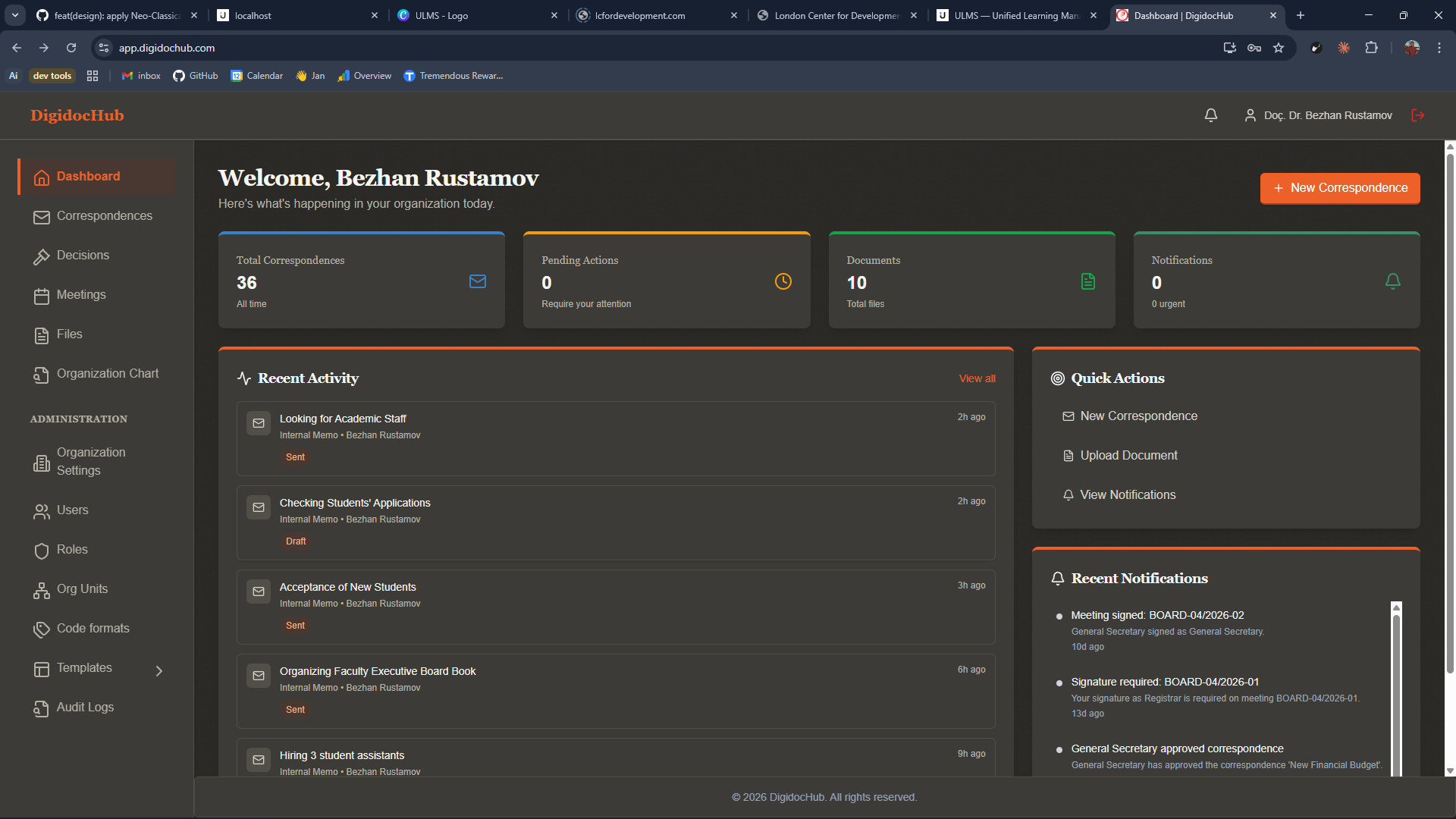
Institutions still print, sign, scan, and forward, because nothing in the existing stack treats a document as a first-class, audited object. DigidocHub does. Documents, correspondence, decisions, signatures, and the audit trail behind them, one workflow.
02 The problem we solved
“Official documents live in three places: a drive, an email thread, a printed file. Correspondence stalls between units. A meeting decision is only as binding as someone's memory. DigidocHub holds documents, the routes they travel, and the people who sign them under one record, with a verification link on the PDF that proves it.”
03 Who it's for
Built for the people who actually open the tab.
01
Rectors & Registrars
A signed record for every decision the institution makes, retrievable in seconds.
02
Department secretaries
Correspondence routed through the right units, tracked from receipt to response.
03
Faculty & staff
Notifications when something needs you, role-aware access, no PDF chasing.
04
Auditors & inspectors
One audit trail. Every step. Every signature. Every artefact.
04 What's inside
Every feature paid for itself before it shipped.
- F. 01
Documents as first-class objects
Created, shared, version-tracked, and audited in one place, not in a folder under someone's laptop.
- F. 02
Correspondence routing
Inbound and outbound correspondence routed through participants and units, tracked from receipt through response.
- F. 03
Electronic signatures & approvals
Configurable approval flows with e-signatures bound to verified identities, the same identities the registrar uses.
- F. 04
Meeting decisions as signed records
Decisions captured live, signed by the attendees, archived with the minutes, auditable a decade later.
- F. 05
PDFs with QR verification
Every issued document carries a QR link that resolves back to the canonical record, printable proofs that survive forwarding.
- F. 06
Role-based access
Permissions follow the institutional role, not a private share link.
- F. 07
Full audit history
Every view, edit, approval, and signature is logged against the artefact.
- F. 08
Notifications that actually work
Targeted to the role and the moment, not "you have new mail in DocSystem".
05 Integrations
It plugs in where you already are.
- UMSxLMS ·
- SAML 2.0 / OIDC ·
- eIDAS-compatible e-signature ·
- PDF/A generation ·
- QR verification ·
- Email gateway
06 FAQ
Things procurement asks first.
-
Q.01 Is it standalone or does it need UMSxLMS?
Either. It works on its own and uses your existing identity, or it shares identity with UMSxLMS for institutions running both.
-
Q.02 Are the signatures legally binding?
Yes, they are eIDAS-compatible advanced electronic signatures, bound to verified institutional identity.
-
Q.03 What happens to the documents we already have?
They migrate. Provenance is preserved, audit history is initialised at the migration date, and the legacy archive can be kept read-only for the transition.
-
Q.04 Can it be hosted on our own infrastructure?
Yes, LCFD-managed UK/EU hosting is the default, on-premises is available for institutions with that requirement.
Next step